Tabbed and Split Views, Custom Window Layouts and Tab Sets
Cantabile now supports documents tabs, split view mode and user-saved window layouts and tab sets.
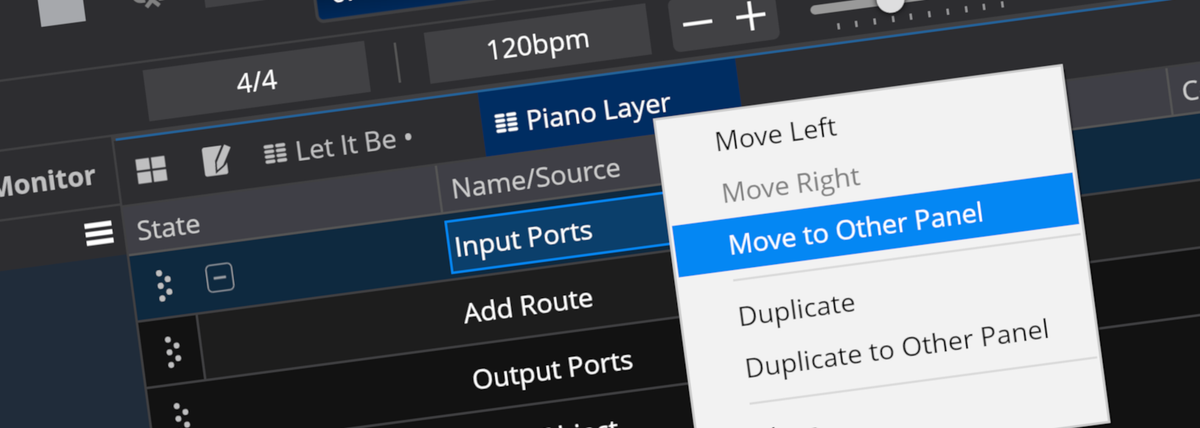
Cantabile now includes several user interface improvements designed to streamline workflow management when editing songs and racks. These changes include support for document tabs and split views. There's also now support for saving user-defined window layouts and tab sets.
Document Tabs
The most obvious change you'll notice is the tab bar in the content editing area of the main window.
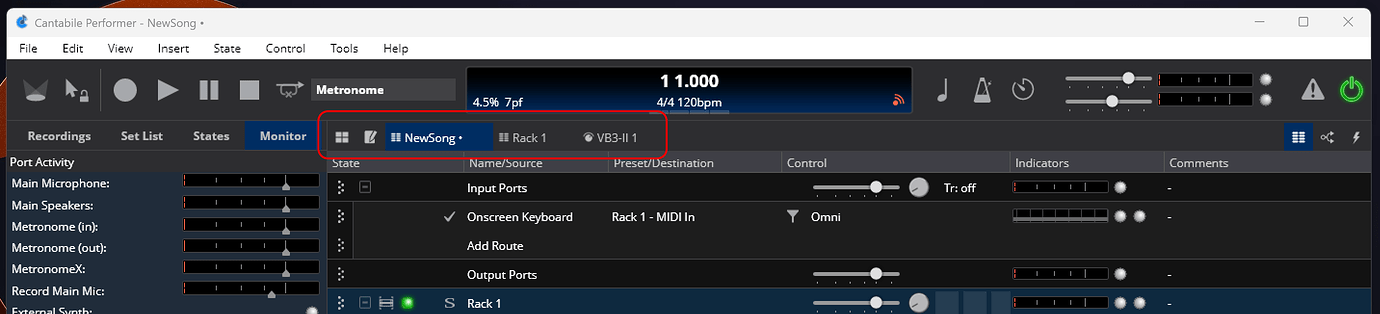
The old tabs for Show Notes, Routing, and Bindings have been reorganized: Set List Grid and Show Notes buttons now appear on the left, while view switching buttons on the right let you toggle between Routing Table, Routing Diagram, and Bindings:
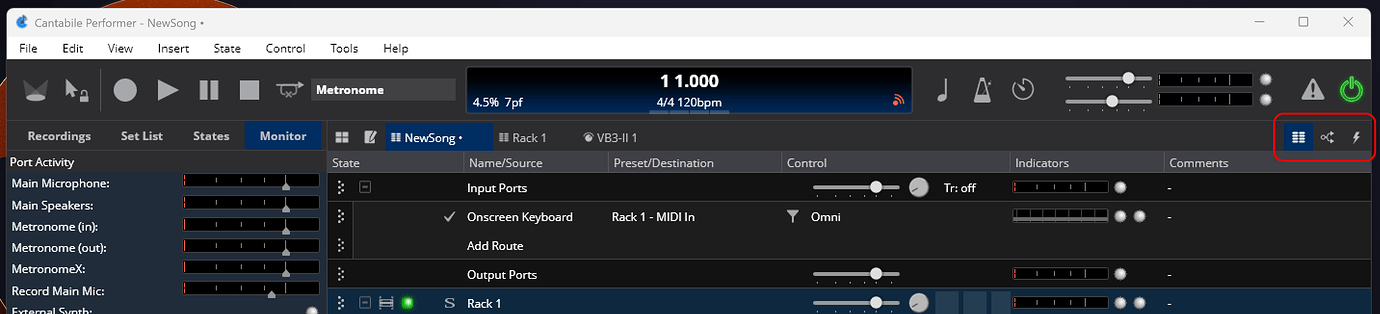
Holding the Ctrl key while clicking one of the view mode buttons opens that view in a new tab.
Tabs can be closed by the X on the tab itself, or by Ctrl+W, or by View menu → Close Tab. Closing the last song tab closes the song and creates a new empty song.
Split View Mode
By splitting the main content area, you get two sets of tabs allowing display of two separate views at the same time. eg: a songs routing and bindings at the same time, or a song and rack, or set list grid and show notes or any other combination:
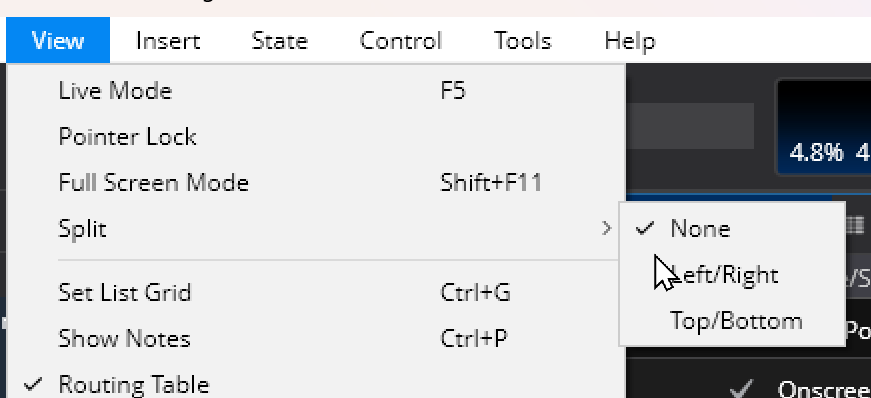
Use the View -> Split Mode menu to create a split view:
Or use the context menu on an existing tab to move or duplicate it to the other panel:
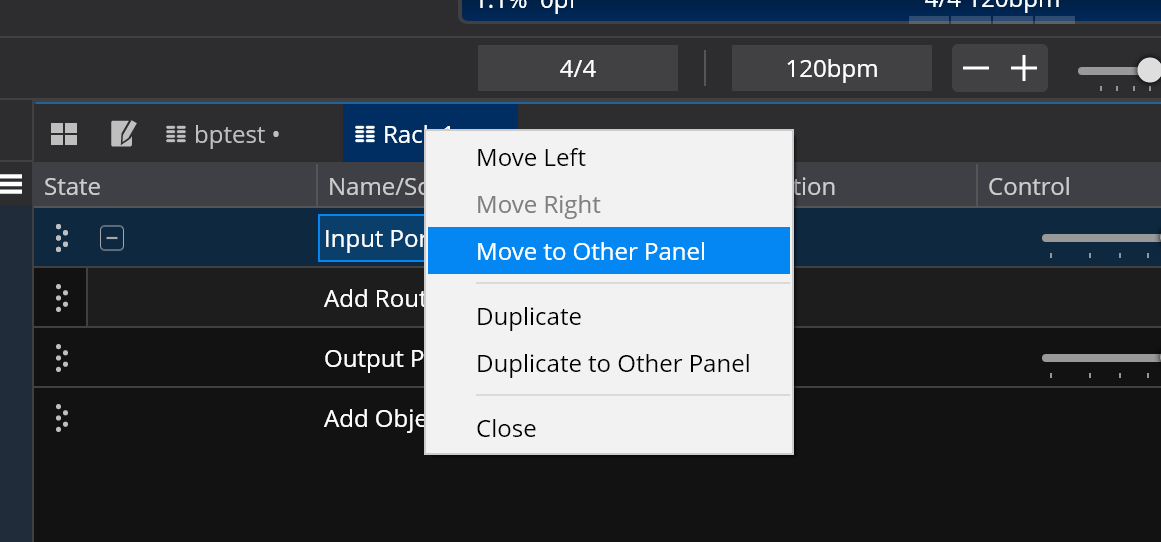
To cancel split mode and revert to single view mode, use the close button on the second panel:

Window Layout and Tab Sets
You can now save window layouts and tabs sets:
- Window Layouts are the geometric layout of the main window including which panels are visible. Window layouts are saved globally and shared across all songs.
- Tab sets capture the split mode, the current set of visible tabs and any displayed popup plugin editors. Tab sets are saved with the current song file.
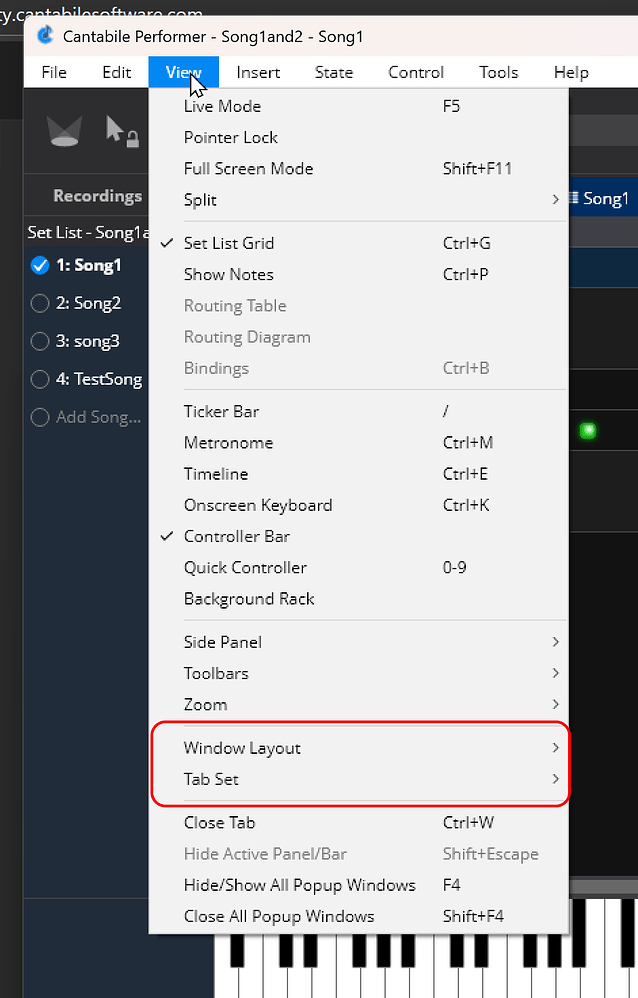
Each Window Layout and Tab Set can have a keyboard shortcut associated with it for fast switching.
Changes to Live Mode
Cantabile Performer's Live Mode has been updated to facilitate some of the above changes.
Live Mode maintains its own special Tab Set that is separate from the tab sets maintained by songs. The Live Mode Tab Set can only reference the "well known" tabs such as show notes, set list grid, song views, background rack views. It can't reference racks or docked plugins like regular tab sets.
The rationale here is for Live Mode to present a consistent user interface across all songs and to help prevent surprises during performance.
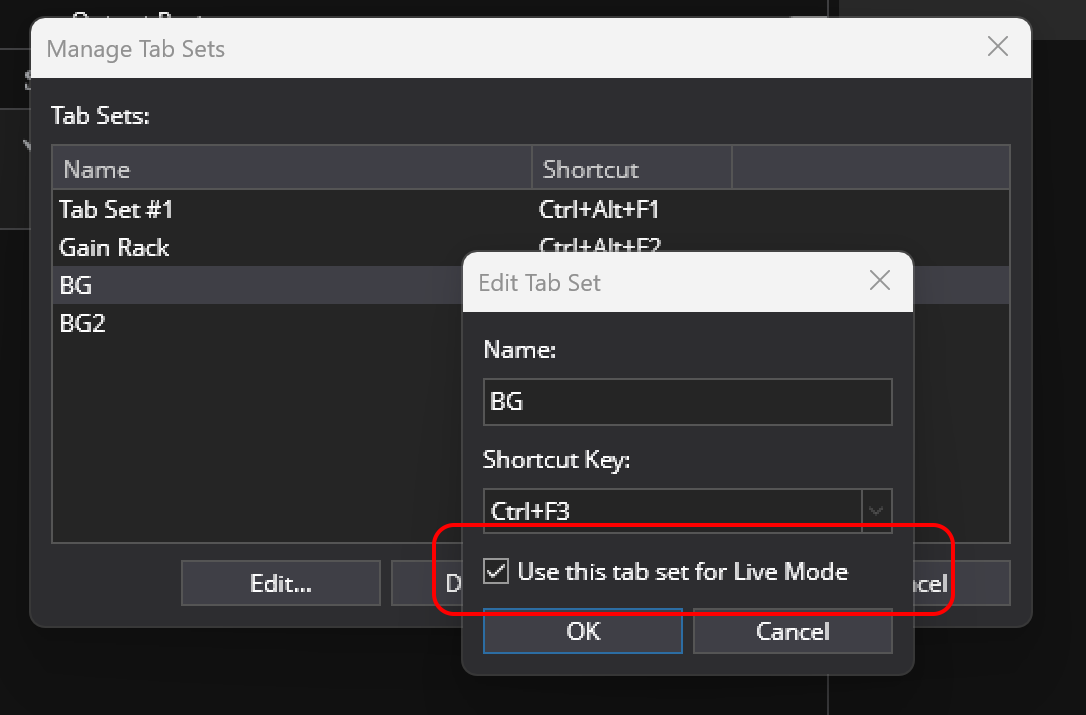
That said, if you want a song to show a different set of tabs when in live mode, you can select one tab set as the “live mode” set. When a song with a live mode tab set is loaded, that tab set will be used instead of the normal live mode tab set.
Plugin Visibility Management
By default, Cantabile will remember which plugin editors are open with the current tab set and re-open them next time that song or tab set is loaded.
Some users, however, reported this made it too easy to inadvertently save a rack with an open plugin that would then reappear while performing. To prevent this a new global option allows suppressing all automatic re-opening of plugins:
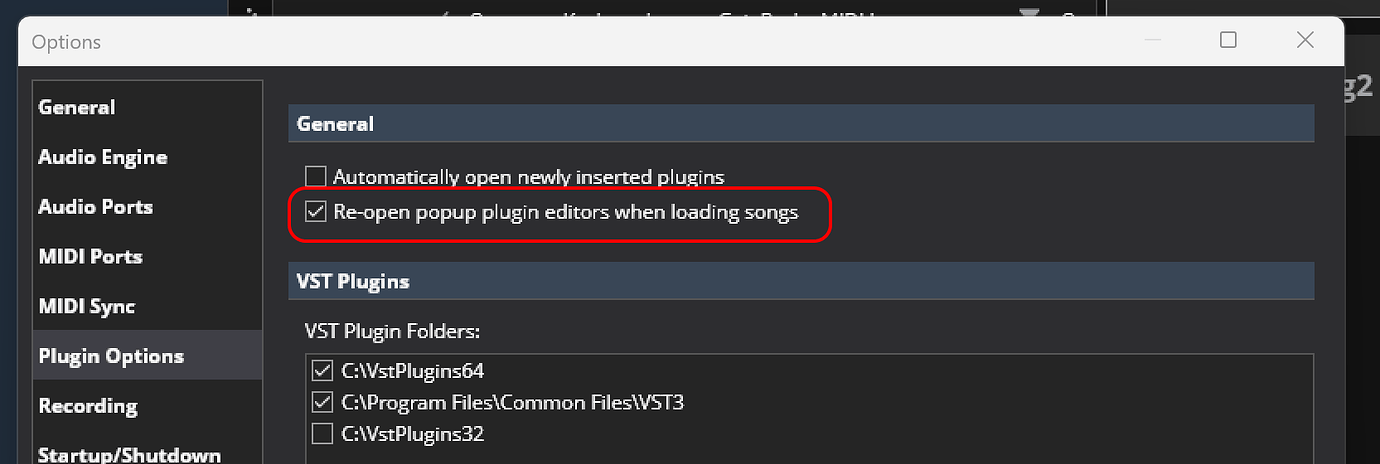
As before plugin visibility can also be controlled using the “Editor Visibility” state behaviour which when enabled overrides the above and visibility is strictly controlled by states.
Binding Support
Some bindings have been updated, and some new binding points have been added to support the new split modes:
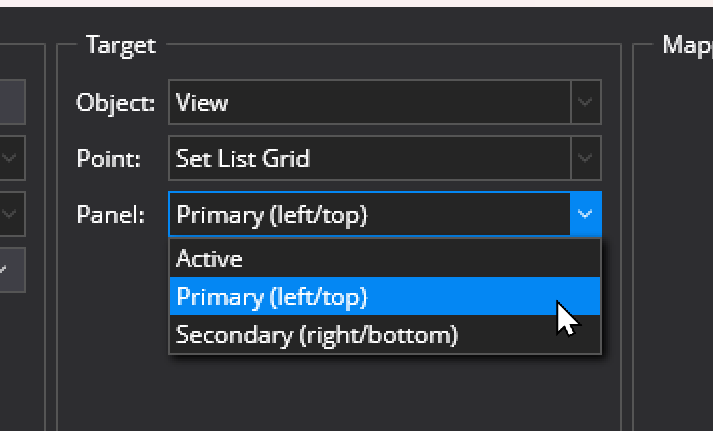
Any bindings that switch main window views (eg: view set list grid etc…) now have an option to choose which split panel: active, primary (ie: left/top) or secondary (right/bottom):
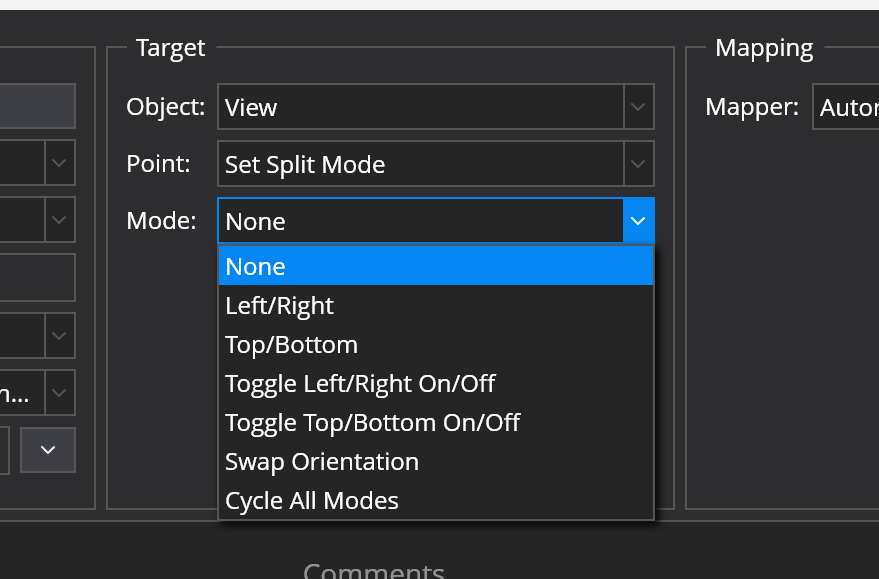
There's a new binding point for controlling split modes:
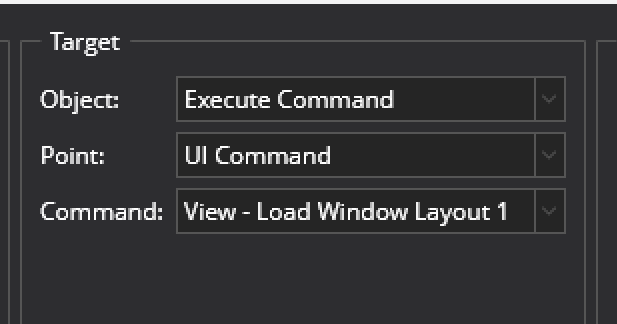
If you’re looking for bindings to switch tab sets or window layout they’re in “Execute Command → UI Command → View…”:
Available Now
These changes, along with various minor bug fixes are available now starting with build 4324. As always, feedback is welcome.