End of Year Tweaks
Cantabile build 4329 is the last build for 2025 and introduces a couple of little niceties...
Cantabile build 4329 is the last build for 2025 and introduces a couple of little niceties..
Helper Commands in Show Notes
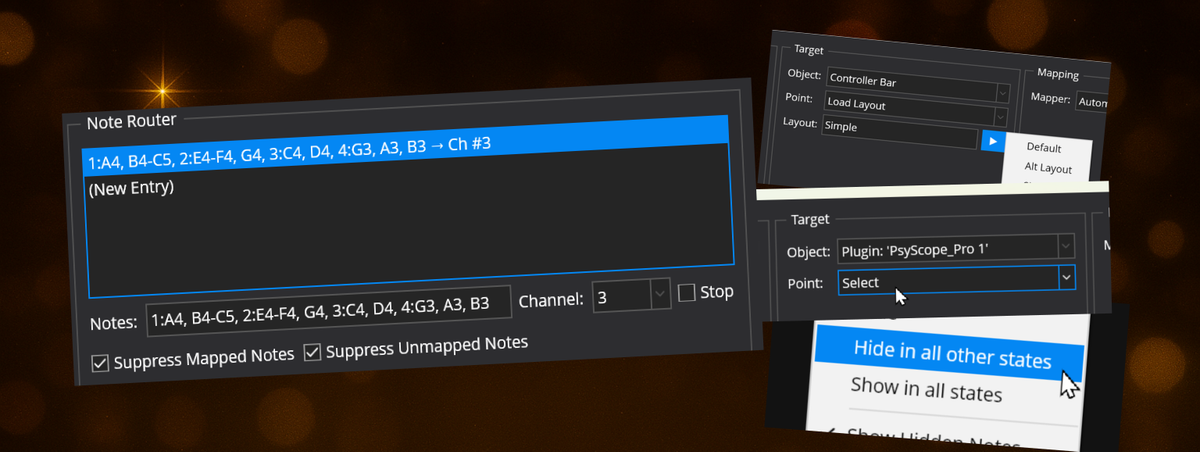
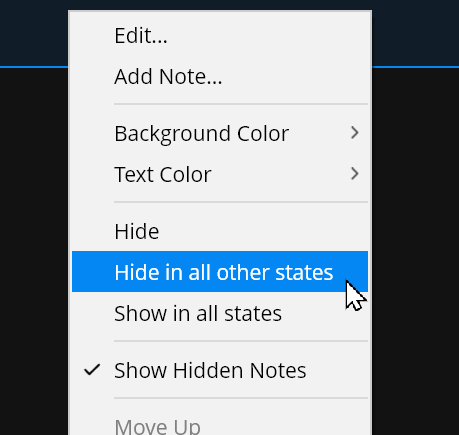
The right click menu in Show Notes has two new commands to help with managing which states show note items are shown in.
- Hide in all other states - sets the selected show note item (or items) to be visible in the current state, but hidden in all others
- Show in all states - sets the selected show notes to be visible in all states
Previously this could be done by right clicking in the state behaviour panel and using the "Update All States" command, but this streamlines the process a little.
New Binding Point to Select an Object
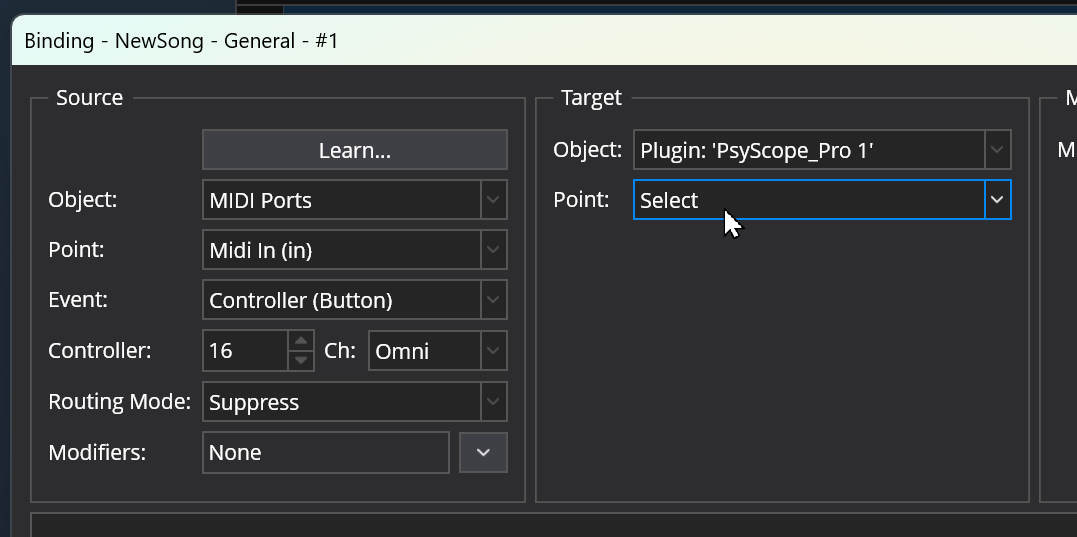
Plugins, Media Players and Rack Hosts have a new binding point called "Select" that simply selects the object in the user-interface:
eg: using a MIDI button to select a plugin:
Ability to Collapse the Tip on Controller Bar Buttons
Custom buttons in the controller bar have a "tip" (a small title at the very top of the button) and a "caption" (the main text displayed on the button itself).
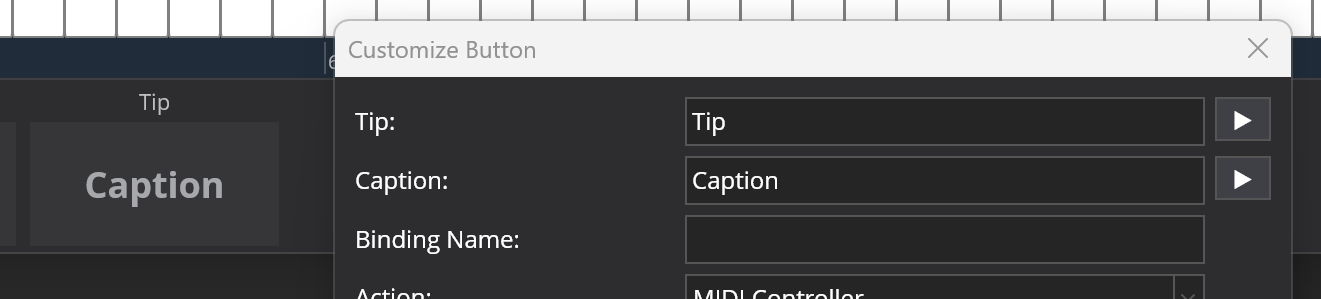
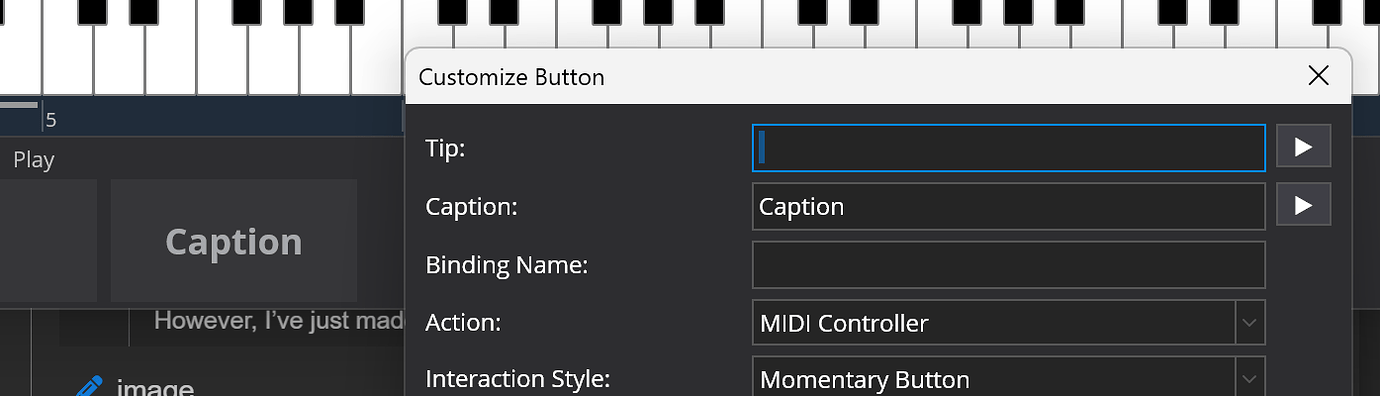
In previous builds, if the tip was left blank the area to display it was kept so that the buttons with and without tips all lined up:
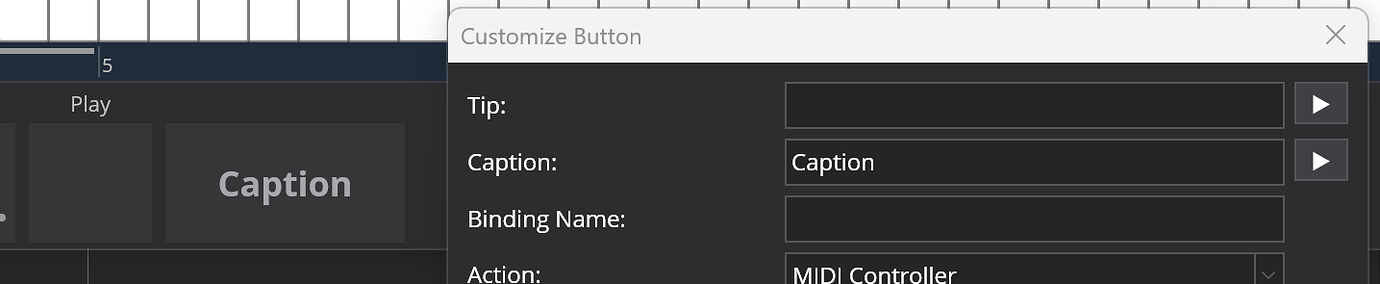
Some users however prefer not to use tips at all, meaning that space was wasted so now setting the tip to blank removes the tip area completely and grows the button to use all the space:
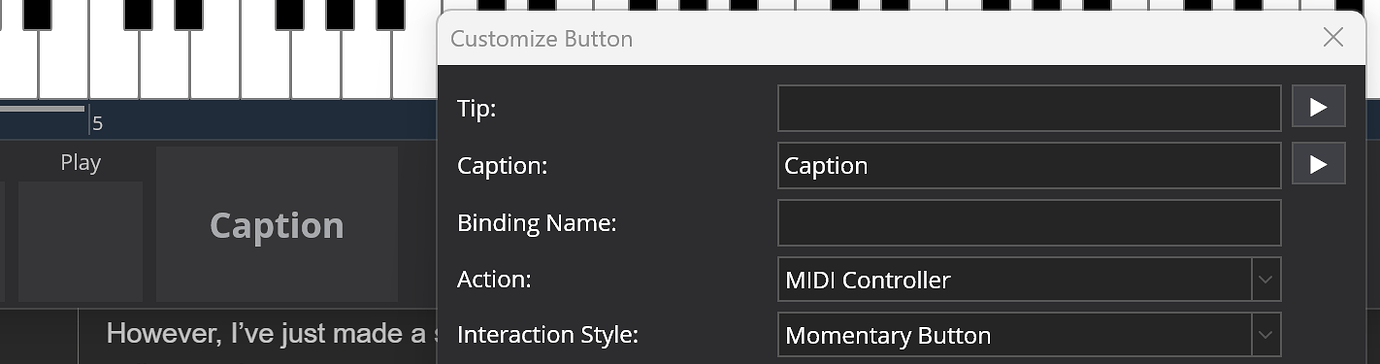
If you have a mix of buttons with/without tips and want them to line up, you can put a space in the tip field to get the old look back again.
Binding Points for Controller Bar Layout
The controller bar has supported switchable layouts for some time now however they could only be switched manually. This build introduces new binding points to switch the loaded layout.
eg: this binding will load the layout named "Simple" each time this song is loaded:
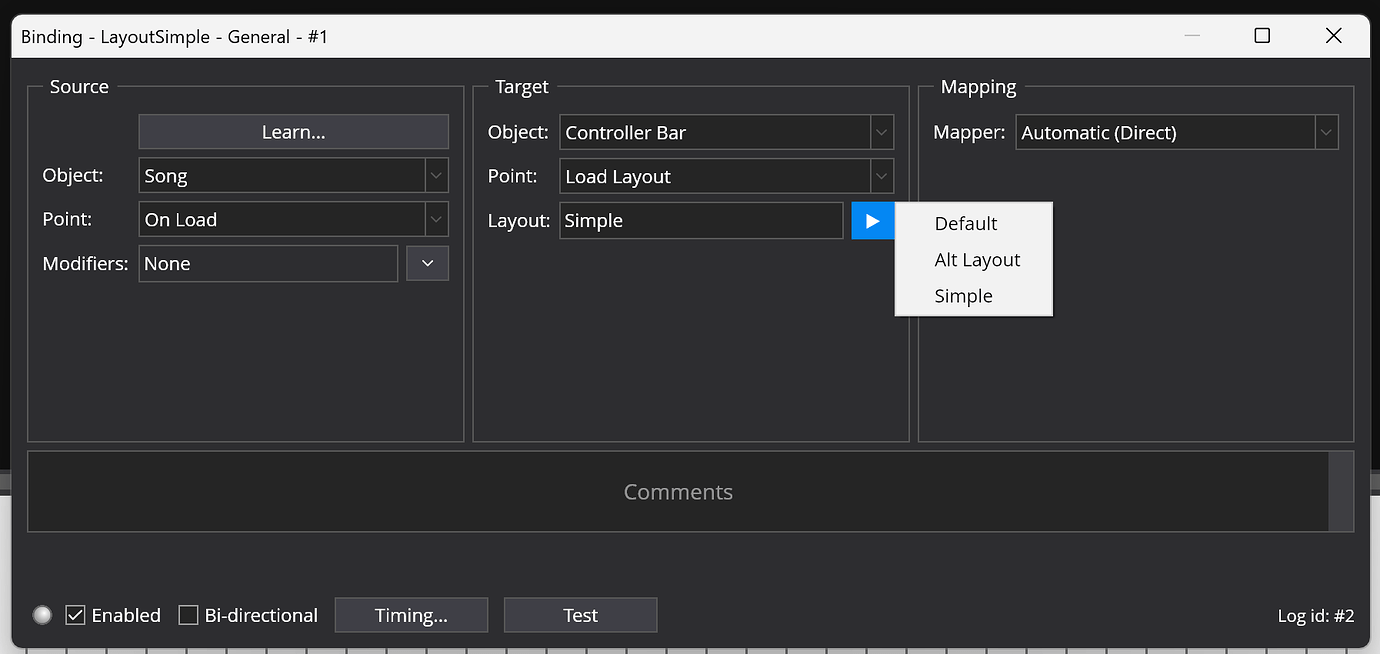
You can now have different controller bar layouts for different songs.
Note Router MIDI Filter
The new Note Router MIDI filter supports mapping arbitrary sets of notes and optionally suppressing others.
It's designed to be used with stringed/fretted MIDI instruments (eg: Fishman TriplePlay) and allows creating splits and layers similar to those on a regular keyboard. Unlike most other MIDI Filters that work with a specific channel mask, this filter is deliberately designed to map particular channel/note combinations.
It works as follows:
- The filter has list of "route" entries
- Each route entry can match multiple notes on either a specific channel, or any channel. The format is the same as the suppress events filter except you can have an optional N: or *: prefix to denote a specific channel or any channel respectively.
- Each route entry can remap matched notes to another channel, or stay on the same channel
- Each route entry has a "stop" flag. When set and a note matches that route entry, the remaining entries are ignored. If not set processing continues with the following entries - so notes can be broadcast to multiple channels if desired.
- After all the routes are processed, there are two settings that control what happens to the event. You can suppress or pass through notes depending on whether they matched a route entry or not.
For example, this filter would remap various notes and note ranges on channels 1 through 4 to channel 3 and suppress all other notes.
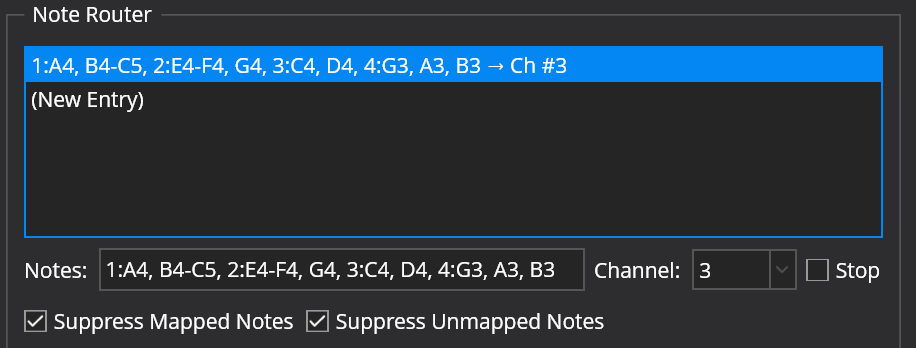
Some tips on how the user-interface works:
- In learn mode, any notes played are added to the notes field.
- The "Notes", "Channel" and "Stop" fields below the list edit the currently selected item in the list.
- Click on "New Entry" and edit something to create a new entry.
- Right click to re-order or delete entries
This filter only works with note events (note on, note off and aftertouch). If you need to suppress other MIDI events use a Suppress Events filter.
Happy New Year
Build 4329 is available now. Enjoy... and all the best for 2026!