Cantabile Development Blog

Follow the development of music software Cantabile

Articles | Full Index | RSS Feed


MIDI Routing Table

Today I finished the user interface for Cantabile's new MIDI Routing Table.

The functionality of the MIDI routing table is pretty obvious - it let's you route from a MIDI input device to either external MIDI device or a specific rack.

images/midirouting1.png

For each routing you can specify:

  • An enable flag - allows enabling/disabling of the routing. This setting also responds to sub-session settings so different sub-sessions can have different routings enabled.
  • A name - this can be anything you like and allows entry of something more descriptive of what the routing does.
  • The source MIDI device - the device to route from. Presently, only MIDI input ports and the on-screen keyboard are available.
  • The source MIDI channel - either Omni, or one or more MIDI Channels this routing applies to.
  • Conditions and Filters - conditions and manipulations to the MIDI events routed. See below for more.
  • The target MIDI device - either and output MIDI port or an internal rack.
  • The target MIDI channel - either Same to leave the midi channel unchanged, or a specific MIDI channel.

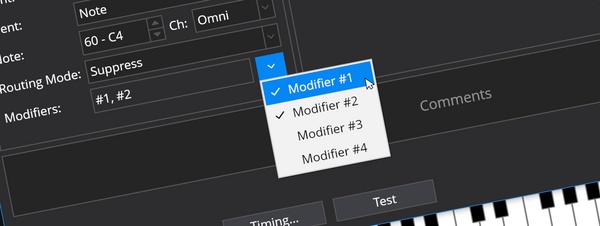
The conditions and filters allow finer control over which events are routed and how they are modified when they are routed. The MIDI Filters are the same as Cantabile's existing MIDI filter functionality. The conditions setting is similar to filters but allows easier configuration of the most obvious settings related to routing:

images/midirouting2.png

  • A MIDI program number - Cantabile will monitor the most recent program change event from each device and only route if the program number matches this setting. The idea here is that different program numbers can be configured to be routed to different sounds.
  • A keyboard range - allows routing of events for only section of the keyboard: ie: keyboard splits.
  • A transpose setting - transpose all notes up/down.
  • Other options. Although not shown here I've been thinking I probably need some options to filter routings by event type eg: ability to enable/disable routing of MIDI controller and program change events. (I might just add some new MIDI filters for this).

So most of UI for all of this is built and working, including creating, editing and deleting routings, clipboard, drag/drop, save/load, undo/redo etc... the routings don't actually work yet though.

Posted on September 25, 2008

Share This

Posted on September 29, 2008

Kristian Quintanal says:

That's awesome! I'm actually planning on buying your program, but I wonder if I should wait until 2.0 comes out. Right now, I'm using Cantabile lite, and it's worked wonders for me. The only limit for me is the maximum of two MIDI channels to transmit to...otherwise, I'd be fine with using 4 plugins only. Although, on the full version demo, I experienced a crash when trying to do a triple keyboard split. I was using two keyboard split functions...and while configuring the second one, the program crashed on me. o.O

Cantabile 2 seems like it has that problem all figured out with the new MIDI conditions. I almost thought I would have needed to program my Axiom to be split into different MIDI channels...and that would suck, because the Axiom only has 20 user memories for different setups.

So...that's my two cents...FOR NOW. I'll be posting regularly, and checking up on this, because after finding this program, my life in terms of live VST synthesis became so much fun. (BTW, I'm new to VST synthesis in a live enviorment. I've been using Fruity Loops for studio production, and have become quite proficient at it, but live use is a different story, and I know FL Studio wouldn't fit the bill for easy of use live...)

-Kristian

PS: Keep up the good work! You'll be seeing my money in the near future. =)

Leave A Comment

All comments will be reviewed for spam before being displayed.